Offline domain registration allows users to submit domain registration tasks in advance and specify a registration time. Once a task is successfully submitted, the system will automatically execute the domain registration at the scheduled time.
1. Submit an Offline Registration Task
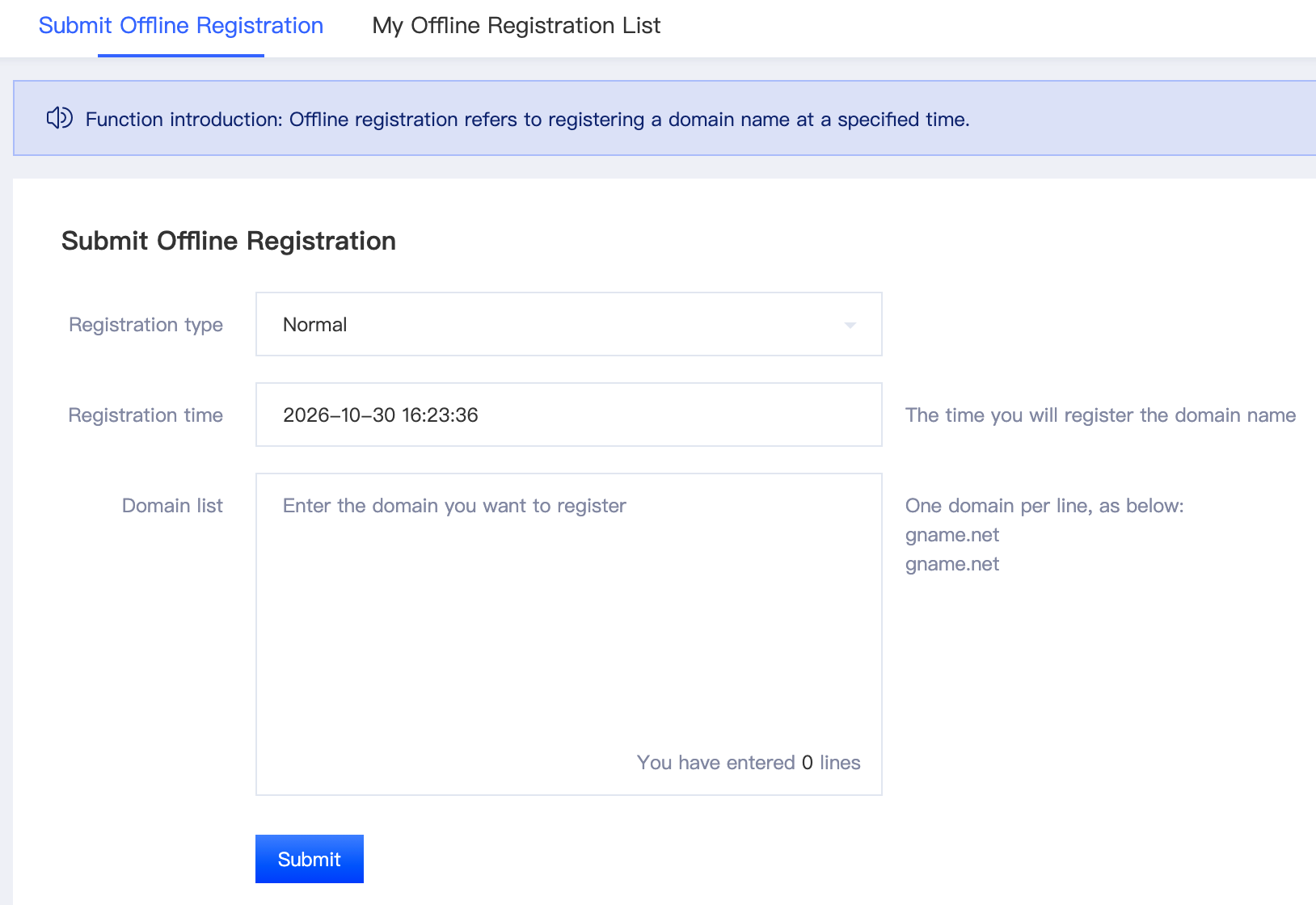
Go to the [Offline Registration] page, enter the domain names you want to register, and specify the registration time.
Note: The scheduled registration time must be at least 10 minutes later than the current time.
After verifying that all information, including the domain names and registration time, is correct, click [Submit Registration]. The system will automatically execute the registration task at the scheduled time.
2. Manage Offline Registration Tasks
Go to the [Offline Registration List] page to view the execution status and details of submitted tasks.
Before a registration task starts executing, you can perform the following actions:
View: View the task details.
Pause: Pause a pending registration task.
Cancel: Cancel a pending registration task.
Choose the appropriate action based on your needs.

Notes
- Registration Time Requirement: The scheduled registration time must be at least 10 minutes later than the current time. Once successfully submitted, the system will automatically execute the task at the specified time. Each task is executed only once.
- Task Submission Limit: Only one offline task can be submitted at a time. You can submit a new task only after the current task has been completed.
- Domain Quantity Limit: Each offline registration task supports a maximum of 10,000 domain names.
- Account Balance Requirement: Insufficient account balance or available coupons may cause domain registration to fail. Please ensure that your account balance or available coupons are sufficient before submitting a task.
- Task Pause and Cancellation: Only offline tasks with the Pending status can be paused or canceled. Tasks in other statuses do not support these actions.
Friendly Reminder: Before submitting a task, please verify the domain list, scheduled registration time, and account balance to avoid registration failures caused by incorrect information or insufficient resources.